


In an era where remote work, cross-functional teams, and digital collaboration are the new normal, choosing the right productivity platform is crucial. Enter ClickUp — one of the most popular project management and work operating systems available today. Whether you’re a freelancer, a startup founder, or part of a large enterprise, ClickUp promises to consolidate your work into a single, flexible environment. Here’s a deep dive into what makes this platform so widely adopted — and why it’s worth considering for your team.
🧠 What Is ClickUp?
ClickUp is a cloud-based project management and productivity platform designed to centralize tasks, communication, automation, and documentation in one place. It was developed to replace an ecosystem of fragmented tools — such as separate apps for tasks, chat, notes, and workflows — with a unified workspace where everything is connected.
The platform supports virtually all team sizes, from solo users managing personal to-dos to global enterprises orchestrating thousands of tasks across multiple teams. The core idea is simple: give teams clarity and alignment by bringing work into one organized digital space.
📌 Core Features That Make ClickUp Stand Out
ClickUp’s strength lies in its extensive and customizable feature set that touches every aspect of modern work. Here’s how it helps teams stay productive:
📋 1. Task & Project Management
At its heart, ClickUp helps you break down work into hierarchies — Spaces, Folders, Lists, Tasks, and Subtasks — so even complex projects stay organized and manageable. Each task can include due dates, priorities, attachments, custom fields, and dependencies to show how work relates to other pieces of a project.
🗂 2. Multiple Project Views
Different teams work differently, and ClickUp recognizes that. You can visualize work as:
- List View for structured to-dos
- Board View for Kanban-style task progress
- Gantt Chart for timelines and dependencies
- Calendar View for schedule planning
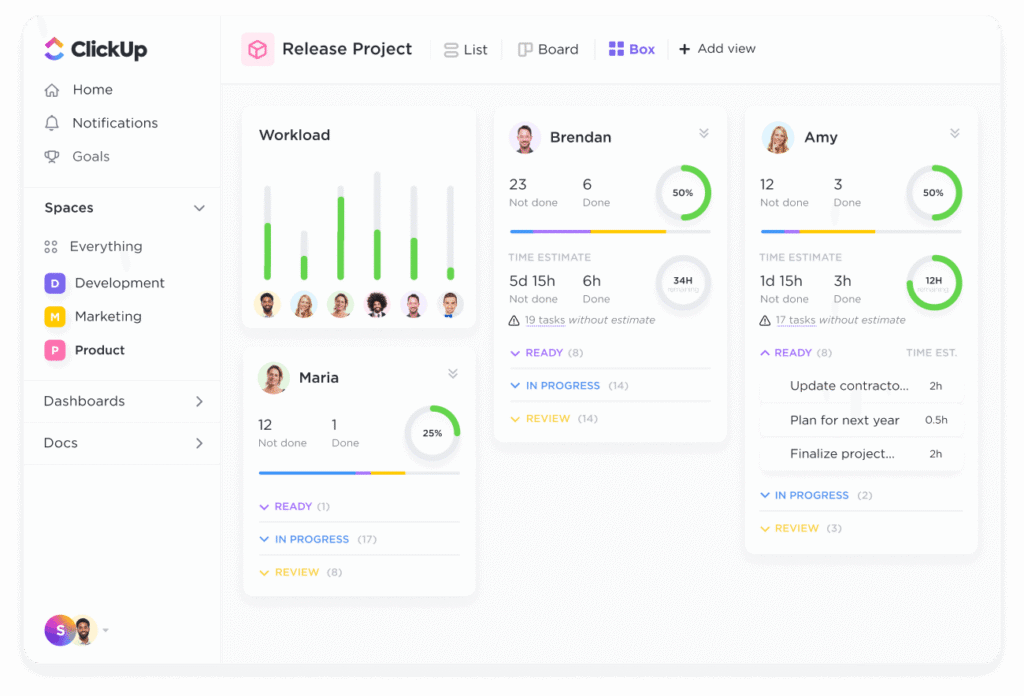
- Table & Workload Views for resource tracking
This flexibility lets every team see their work in the way that makes the most sense for them.
🤝 3. Built-In Collaboration Tools
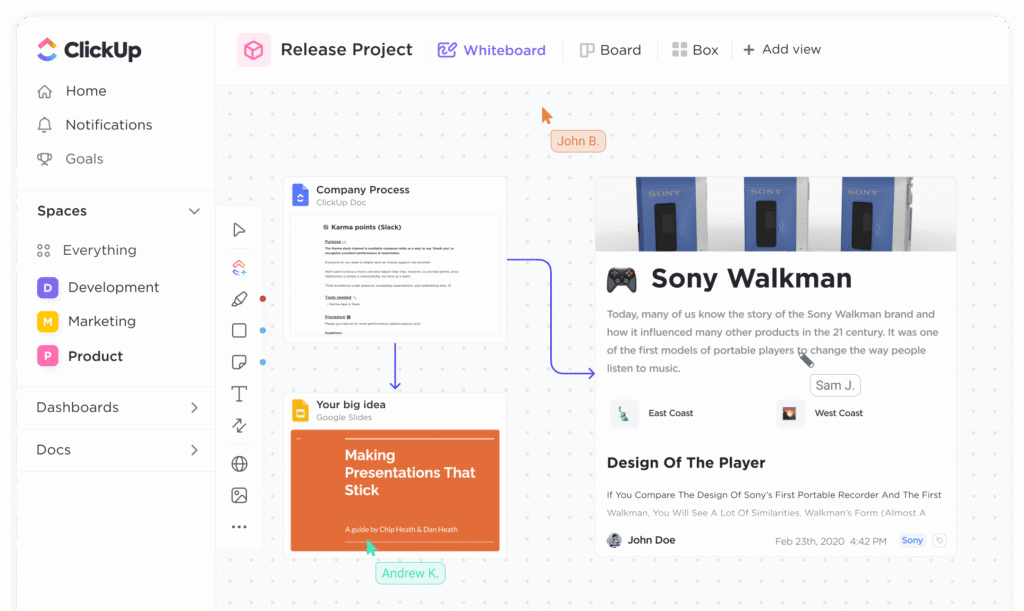
ClickUp isn’t just about tasks — it’s about team communication too. Real-time chat, comments, and notifications help teams stay aligned without bouncing between different apps. You can also create documents and whiteboards directly inside the workspace, making brainstorming and knowledge sharing easier than ever.
⚙️ 4. Automation & AI
To reduce repetitive work, ClickUp offers powerful automation tools that can move tasks, update statuses, send alerts, or reassign work automatically based on triggers you define. Recently, ClickUp added AI capabilities (often referred to as Chttps://clickup.com/lickUp Brain) to help with summarizing content, generating task ideas, and even suggesting priorities based on project context.
💰 Pricing: Free to Enterprise
One of ClickUp’s biggest advantages is its Free Forever plan, which lets individuals and small teams get started without a subscription. Paid plans scale up to more advanced features like unlimited storage, custom roles, enhanced reporting, and enterprise-grade permissions. This structure makes it accessible as your needs grow.
👍 Pros and Cons
Like any powerful tool, ClickUp has strengths and trade-offs:
Pros:
- Comprehensive all-in-one productivity suite
- Highly customizable workflows and views
- Robust free plan for individuals and small teams
- Powerful automation and mounting AI support
- Useful collaboration features like docs and chat
Cons:
- The interface can feel overwhelming for new users
- Setup and customization require time and planning
- Some advanced features may need paid plans
📈 Real-World Impact
Teams using ClickUp often report greater alignment, fewer meetings, and more visibility into project progress. Instead of juggling multiple apps, ClickUp brings everything under one digital roof — helping reduce context-switching and keep deadlines within reach. Many businesses even replace half their software stack with ClickUp alone.
🏁 Final Thoughts
In 2026’s remote and hybrid work landscape, tools like ClickUp have become essential work platforms, not just project tracking apps. Whether you’re collaborating across continents or just trying to manage personal productivity, ClickUp’s flexibility, scalability, and breadth of features make it one of the most compelling choices available today.
If your team is struggling with scattered tools and unclear workflows, ClickUp might just be the central hub you’ve been searching for.